Farm Sim UK Logo
Home Mods Knowledge Base About Register
Home Mods Directory Follow Me

Follow Me

PC Only
Created by: Decker_MMIV
Report this mod
Singleplayer only! PC/Mac only!

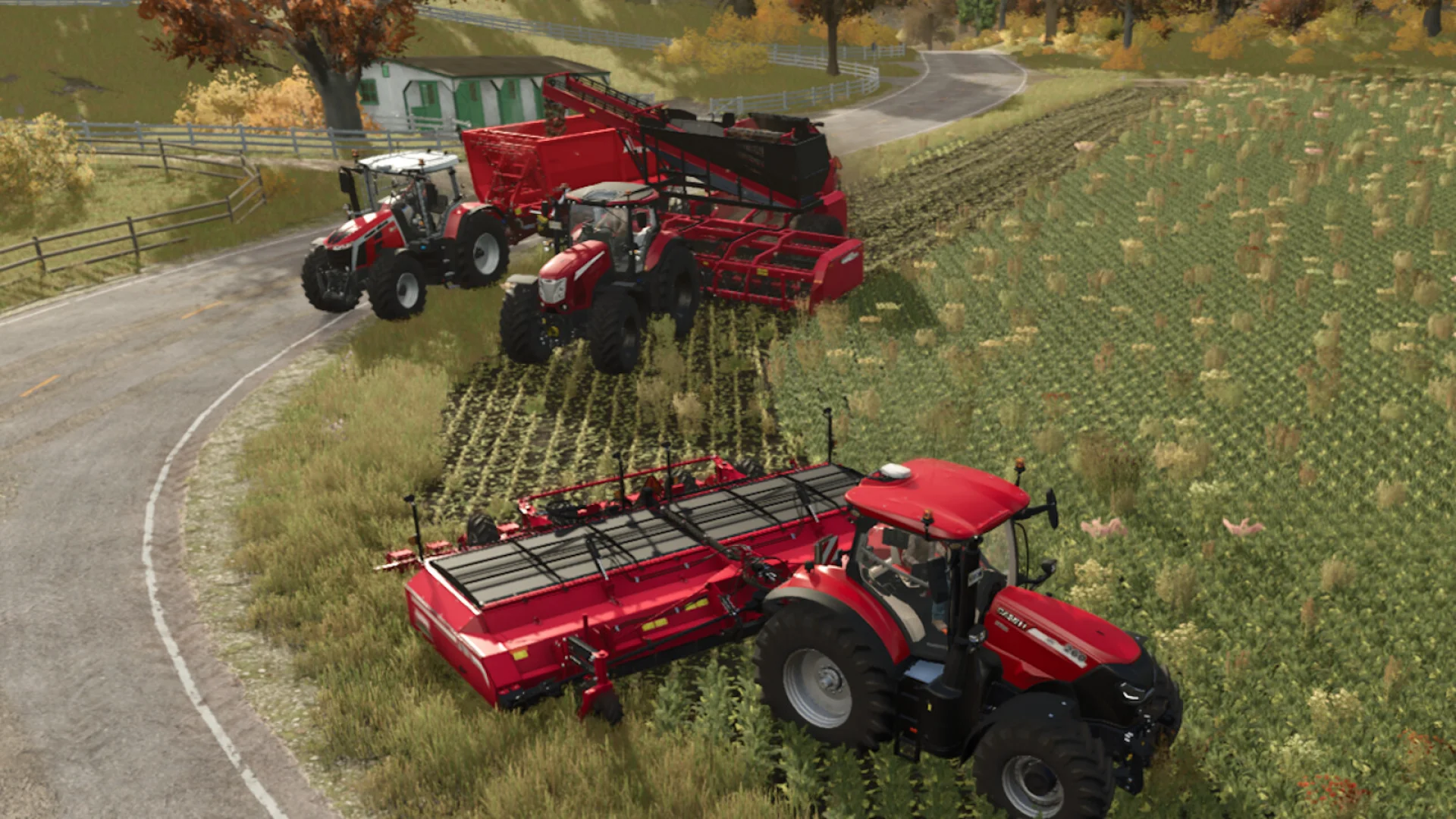
Ever wanted to have some vehicles follow you around the map? With "Follow Me" you can (though not backwards driving).

Instructions:
- Use action 'Initiate / Choose other' (default: RIGHT CTRL + F) to select the vehicle to follow, and make sure it is visibly indicated on the screen.
- For selecting another vehicle to follow, if there are more in the vicinity, press the 'Initiate / Choose other' action again before the 3 seconds timeout.
- To stop following, press the 'Stop AI Worker' (default: H).
- To temporarily pause following use the ation 'Pause/Resume' (default: RIGHT CTRL + H).
- When in a vehicle, its own distance and side-offset to a leader can be modified using actions 'Change distance' (default: RIGHT CTRL + W/S) and 'Change side offset' (default: RIGHT CTRL + A/D).
- If vehicle was started with a turned on and active baleloader, forage wagon, stone picker or combine, there is possibility to specify what should happen when it becomes full, with the action 'When Full: ...' (default: RIGHT CTRL + Y).

- When being in a vehicle that has followers, use action 'Follower, Choose other' (default: RIGHT SHIFT + RIGHT CTRL + F) to specify what follower is selected for further instructions.
- Use actions 'Follower, Distance' (default: RIGHT SHIFT + RIGHT CTRL + W/S) and 'Follower, Side offset' (default: RIGHT SHIFT + RIGHT CTRL + A/D) for changing the selected follower's distance and side offset.
- Use actions 'Follower, Pause/Resume' (default: RIGHT SHIFT + RIGHT CTRL + H) or 'Follower, When Full' (default: RIGHT SHIFT + RIGHT CTRL + Y) for changing how the selected follower should react.

- It is possible to "place a marker on the trail", that instructs followers to ignore their side offset, or use the opposite side offset. For that use the action 'Marker for Switch side offset' (default: RIGHT SHIFT + RIGHT CTRL + X).

Notes:
- When a follower is instructed to drive 'in front of' a vehicle, i.e. the distance is negative, then collision detection is disabled for that follower.
- When using side-offsets do remember that followers are not able to 'make 90-degree turns' just like that. So do some experimentation and tries to learn how to make turns, depending on which side-offset the follower is set to.
- Different vehicles have different steering turn radius, so remember to consider the least capable follower when leading vehicle steers left or right.
- Different vehicles and their equipment have different driving speeds, so consider giving the slowest follower time to catch-up with the leading vehicle.

Screenshot 1
Screenshot 2
Screenshot 3
Screenshot 4
Screenshot 5

Screenshot 1

Screenshot 2

Screenshot 3

Screenshot 4

Screenshot 5

Screenshot 1
Screenshot 2
Screenshot 3
Screenshot 4
Screenshot 5

Screenshot 1

Screenshot 2

Screenshot 3

Screenshot 4

Screenshot 5

Mod Information

Game: Farming Simulator 25
Brand: None
Categories:
Gameplay
Contributors:
Added: May 21, 2025
Last Updated: May 21, 2025
Latest Version: 1.2.0.0
Crossplay: No

Version History

Version 1.2.0.0

May 21, 2025

- Correction for action 'Follower, Choose other' being recognized as 'Initiate / Choose other' when vehicle had no followers to control. - Fix for truncated rendered multiline-text when initiating/controlling a follower, caused by other mod(s) use of 'setTextLineBounds(...)' without a corresponding reset back to unrestricted text-line bounds.

Version 1.1.0.0

Apr 21, 2025

- Fixes regarding vehicles being referred to that isn't supposed to be eligible for "Follow Me". There might still be issues with this, due to uncertainty of how to reproduce the problem. - Fix for disappearing F1-menu, caused by conflict with other mod(s) which modifies the sequence of how 'InputHelpDisplay:draw()' calls help-/info-hud-extensions' methods.

We value your privacy

We use cookies to keep you logged in, remember your preferences, and understand how people use Farm Sim UK through Google Analytics. You can accept all cookies, reject non-essential ones, or choose exactly which types to allow. Read our Cookie Policy and Privacy Policy to learn more.

Cookie preferences

Strictly necessary

Session management, security (CSRF), and your cookie preference. Cannot be disabled.

Always on

Analytics (Google Analytics)

Helps us understand which pages are popular and how visitors navigate the site. No personal data is sold.